Four screens, nothing gets mixed up
Canvas, Chat, Terminal and Browser are each project's own screens. Switching screens stops nothing: sessions keep running.
canvas · chat · terminal · browserElyra opens each project in four screens — Canvas, Chat, Terminal and Browser — and keeps everything running while you switch between them. Install it, sign in with your account and access is already unlocked.
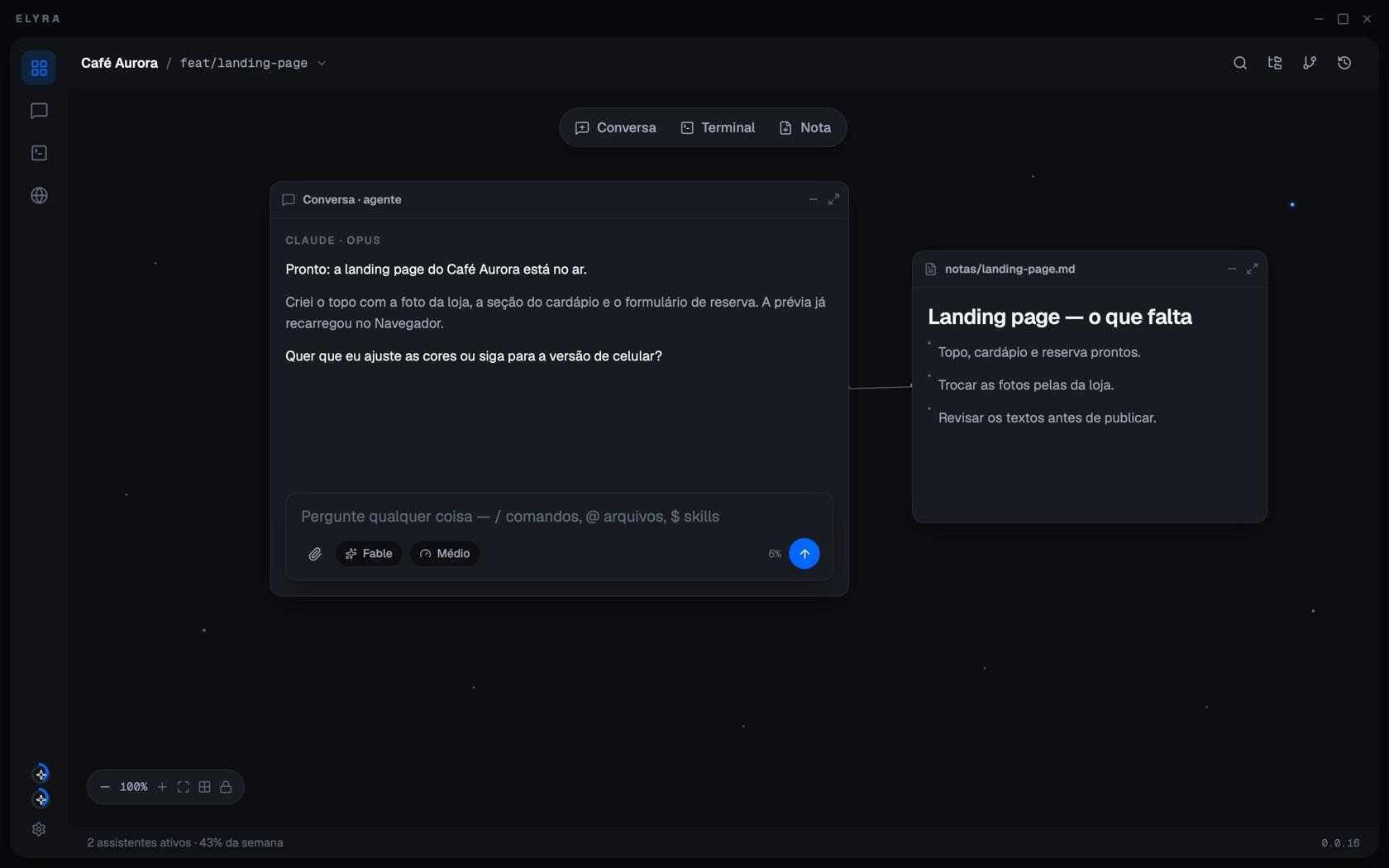
Canvas, Chat, Terminal and Browser are each project's own screens. Switching screens stops nothing: sessions keep running.
canvas · chat · terminal · browserRun Claude Code, Codex and other agents on the same project, each in its own workspace, without getting in each other's way.
claude · codex · grok · opencodeThe Browser shows your app while the agent works. Save, and the page reloads. Point at an element and ask for the change right there.
saved → reloadedElyra runs on your computer and also opens projects that live on a server, over SSH, with the same terminal and the same chat.
local · sshEach link lasts 60 seconds.
Apple Silicon · Intel
64-bit
Already have Elyra? It lets you know when a new version is out and updates itself. No need to download it again.
The extension connects the browser on your computer to Elyra: the agent sees the page you're viewing and works on it with you.